We've all been there: trying to have a conversation at a loud concert, yelling across a crowded bar, or attempting to coordinate with colleagues at a noisy construction site. When voice communication fails, visual messaging becomes essential.
Whether you're dealing with temporary noise challenges or supporting someone who is deaf or hard of hearing, having the right tools and techniques for visual communication can make all the difference. In this guide, we'll explore practical solutions for communicating effectively when voice isn't an option.
Why Visual Communication Matters
According to the World Health Organization, over 5% of the world's population—approximately 430 million people—have disabling hearing loss. But the need for visual communication extends far beyond the deaf and hard of hearing community:
- Noise-induced situations: Concerts, clubs, airports, factories, and construction sites
- Distance communication: Signaling across rooms, buildings, or outdoor spaces
- Silent environments: Libraries, hospitals, and quiet offices
- Language barriers: When written communication is clearer than spoken
- Emergency situations: When verbal communication isn't possible or safe
Traditional Methods vs. Modern Solutions
The Old Way: Pen and Paper
Writing notes by hand works, but it's slow, hard to read in low light, and the text is usually too small to read from a distance. Plus, you need to carry supplies with you.
The Better Way: Your Smartphone
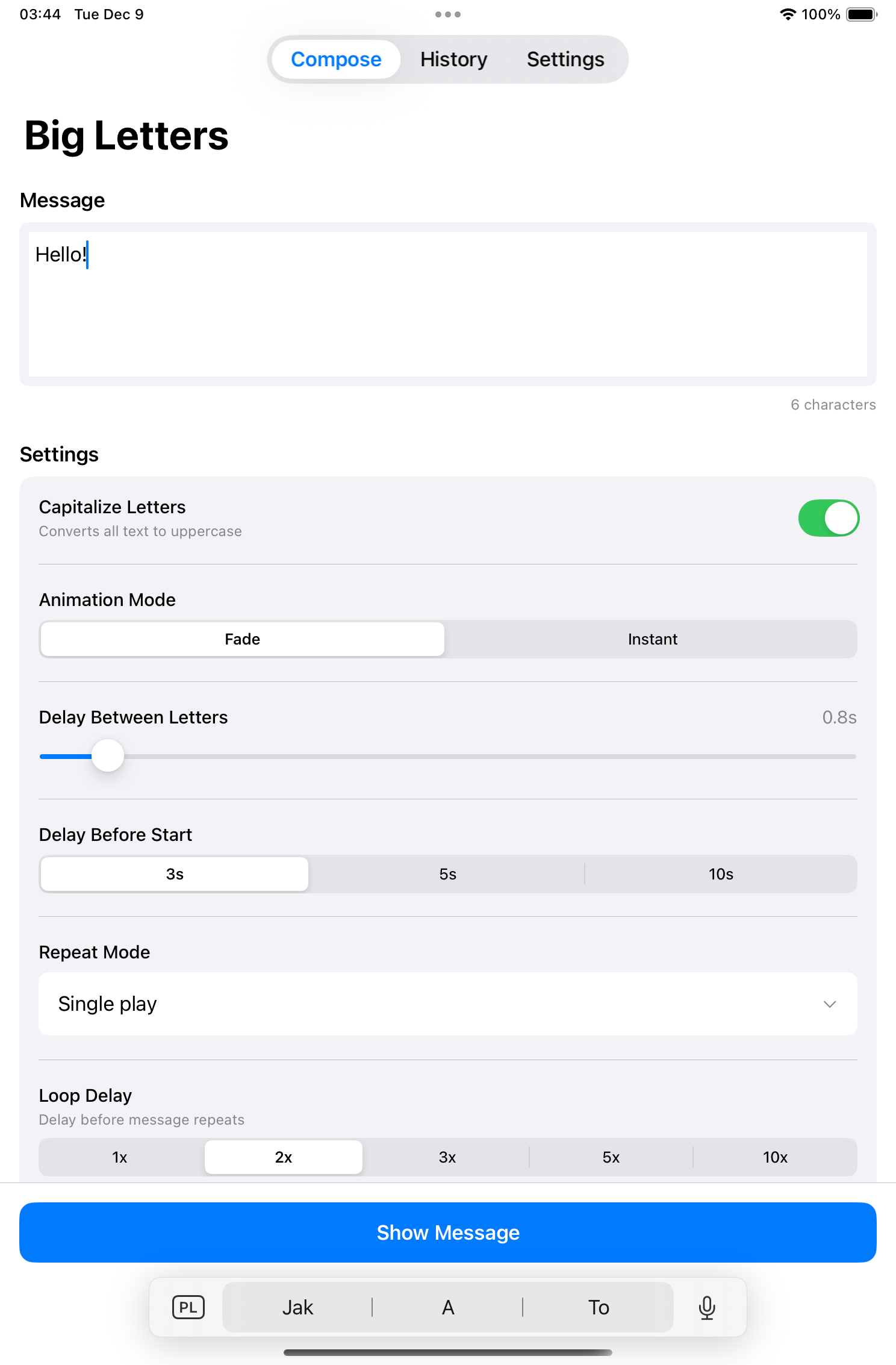
Your iPhone or iPad can become a powerful visual communication tool. With the right app, you can display messages in massive, screen-filling text that's readable from across the room—or across the street.
Key Features to Look for in a Visual Communication App
Not all text display apps are created equal. Here's what makes a visual communication app truly useful:
1. Maximum Font Size
The whole point is readability at a distance. The best apps automatically calculate the largest possible font that fits your screen. Every letter should fill as much space as possible.
2. High-Contrast Themes
Visibility depends on contrast. Look for apps with multiple high-contrast color combinations—white on black, black on white, and bold color options for different lighting conditions.
3. Offline Functionality
Internet connections can be unreliable in noisy environments (think concert venues with thousands of connected phones). Your communication tool should work completely offline.
4. Quick Access
In fast-paced situations, you need to display messages quickly. Message history and instant recall features are essential.
5. Brightness Control
Automatic brightness adjustment ensures your message is visible in bright sunlight or dim club lighting.
Introducing Big Letters: Purpose-Built for Visual Communication
Big Letters is an iOS app specifically designed for these exact scenarios. Here's what makes it stand out:
- Maximum font sizing: Automatically displays the largest possible text for your screen
- 32 color themes: High-contrast options optimized for any lighting condition
- 20 professional fonts: Choose the most readable option for your situation
- Message history: Saves up to 256 messages for instant recall
- Works offline: No internet required, ever
- Privacy-focused: Your messages stay on your device
Real-World Scenarios
At a Concert or Music Festival
Need to tell your friend you're heading to the bar? Type your message, hold up your phone, and they'll see it instantly—no shouting required. The letter-by-letter animation even draws attention to ensure your message gets noticed.
Supporting Deaf or Hard of Hearing Individuals
Visual communication tools like Big Letters supplement sign language and lip reading. When you need to convey information quickly—especially in emergencies—large text display is invaluable.
At Work in Industrial Environments
Construction sites, factories, and warehouses are notoriously noisy. Quick visual messages can coordinate activities without removing hearing protection or trying to outshout machinery.
In Healthcare Settings
Communicating with patients who have hearing loss or are on ventilators becomes much easier with large, clear text displays.
Tips for Effective Visual Messaging
- Keep messages short: Aim for 2-4 words per message for maximum readability
- Use high contrast: White text on black background works well in most conditions
- Increase brightness: Ensure your screen is at maximum brightness when displaying
- Get attention first: Make eye contact or wave before displaying your message
- Hold steady: Keep your device stable while the other person reads
- Prepare common phrases: Save frequently-used messages for quick access
Beyond Apps: Other Visual Communication Tools
While smartphone apps like Big Letters are incredibly convenient, other visual communication methods include:
- Sign language: The most complete visual language system
- Lip reading: Effective in well-lit, face-to-face situations
- Written notes: Traditional but still useful
- Hand signals: Pre-agreed gestures for common messages
- LED wearables: Programmable LED badges and clothing
Accessibility and Inclusion
Having reliable visual communication tools isn't just convenient—it's about inclusion. When you're prepared to communicate visually, you're creating a more accessible environment for everyone, including:
- People who are deaf or hard of hearing
- Individuals who are nonverbal or have speech impairments
- Anyone temporarily unable to speak (laryngitis, dental work, etc.)
- People in situations where silence is required
Conclusion
Effective communication shouldn't depend on perfect acoustic conditions. With the right tools and techniques, you can communicate clearly in any environment—from rock concerts to quiet hospitals.
Ready to improve your visual communication? Download Big Letters and transform your iPhone or iPad into a powerful messaging display. It's free, works offline, and could be exactly what you need the next time voice communication isn't an option.