Picture this: you're waiting in a crowded airport arrivals hall, scanning hundreds of faces for someone you've never met, or someone you haven't seen in years. Meanwhile, they're doing the same thing from the other end of the hall. The solution? A great pickup sign.
But in 2025, the cardboard-and-marker approach is starting to look a bit dated. Let's explore modern alternatives and figure out the best way to ensure you connect with your arriving traveler quickly and easily.
The Problem with Traditional Paper Signs
Don't get us wrong—paper signs have worked for decades. But they come with some significant limitations:
- Size limitations: How big can you really write on a piece of paper?
- Readability: Handwriting varies, and letters may not be clear from a distance
- Preparation required: You need materials and time to make the sign
- One-time use: That sign with "JOHNSON FAMILY" goes straight to the trash
- Weather sensitivity: Rain or wind can ruin your sign
- Last-minute changes: Flight delayed? Now you need a new sign for the new arrival time
Enter Digital Pickup Signs
Your smartphone or tablet can become the ultimate airport pickup sign. Here's why digital signs are becoming the go-to choice:
Advantages of Using Your Phone as a Pickup Sign
- Maximum visibility: Text can fill your entire screen, making it readable from much farther away
- Brightness: A lit screen stands out in any lighting condition
- Instant changes: Update your message in seconds if plans change
- Animation: Moving text catches the eye in a sea of static signs
- Always with you: No need to remember to bring supplies
- Reusable: Save messages for regular pickups
- Eco-friendly: No paper waste
How to Create the Perfect Digital Airport Sign
Step 1: Choose the Right App
Not all text display apps are suitable for airport pickups. You need an app that:
- Displays text at the maximum possible size
- Works offline (airport WiFi can be unreliable)
- Offers high-contrast color options
- Keeps the screen active while displaying
- Is quick to set up and modify
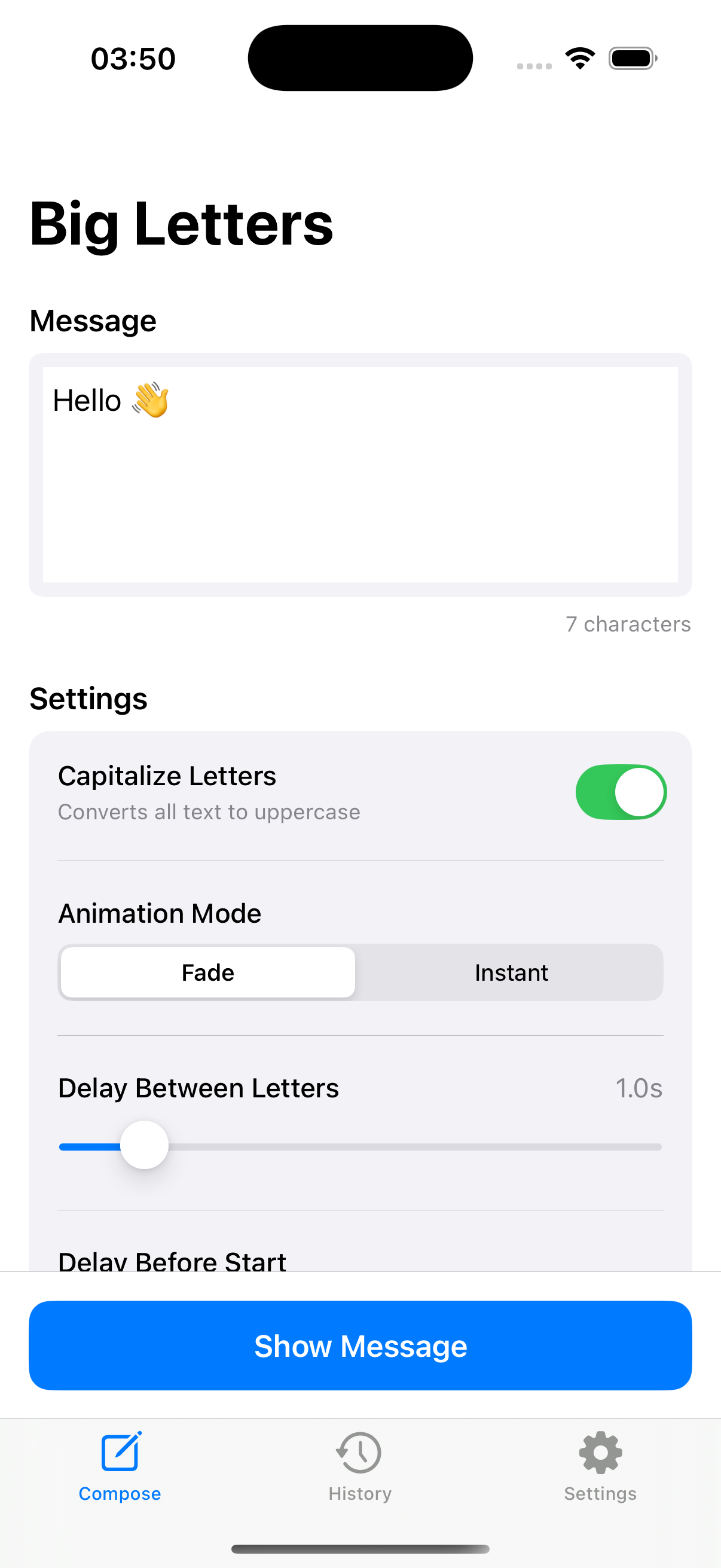
Big Letters is designed exactly for this purpose. It automatically calculates the largest font size that fits your screen, works completely offline, and offers 32 high-contrast themes for perfect visibility.
Step 2: Craft Your Message
Keep it simple and clear. The best airport pickup signs are:
- Short: 1-3 words is ideal (just the name)
- Clear: Use the traveler's name they'll recognize
- Unique: If picking up "John Smith," consider adding a company name or other identifier
Good examples:
- "GARCIA"
- "SARAH"
- "ACME INC"
- "GRANDMA"
Not so great:
- "Welcome to Chicago, Mr. and Mrs. Thompson, we hope you had a pleasant flight!" (too long)
- "pickup for uber ride 7294" (confusing)
Step 3: Choose Your Colors
High contrast is key. The best combinations for airport visibility:
- White text on black: Classic, works everywhere
- Black text on white: Great for bright terminals
- Yellow text on black: Excellent attention-grabbing
- White text on blue: Professional, easy to spot
Step 4: Position Yourself Strategically
Even the best sign won't help if you're in the wrong spot:
- Stand where arriving passengers will see you as they exit
- Position yourself at the side rather than behind the crowd
- Hold your phone at eye level or slightly above
- Move slowly if you're holding an animated sign
Creative Airport Pickup Sign Ideas
Sometimes you want to do more than just display a name. Here are some creative ideas:
For Family & Friends
- "WELCOME HOME"
- "I MISSED YOU"
- An inside joke they'll recognize
- "TAXI: MOM"
For Business Pickups
- Company name + guest name
- Event or conference name
- Project code name (for confidential pickups)
For Special Occasions
- "HAPPY BIRTHDAY" (for arriving birthday celebrants)
- "CONGRATS GRADUATE"
- "JUST MARRIED" (picking up newlyweds)
Using Big Letters for Airport Pickups
Here's a quick guide to using Big Letters for your next airport pickup:
- Download the app (it's free and works offline)
- Type your message in the compose screen
- Choose a high-contrast theme (Dark or any bright option)
- Tap "Show Message" to display
- Hold up your phone where the arriving person can see it
Pro tip: Enable the letter-by-letter animation to make your sign stand out. The movement naturally draws eyes to your message.
iPad vs. iPhone for Airport Signs
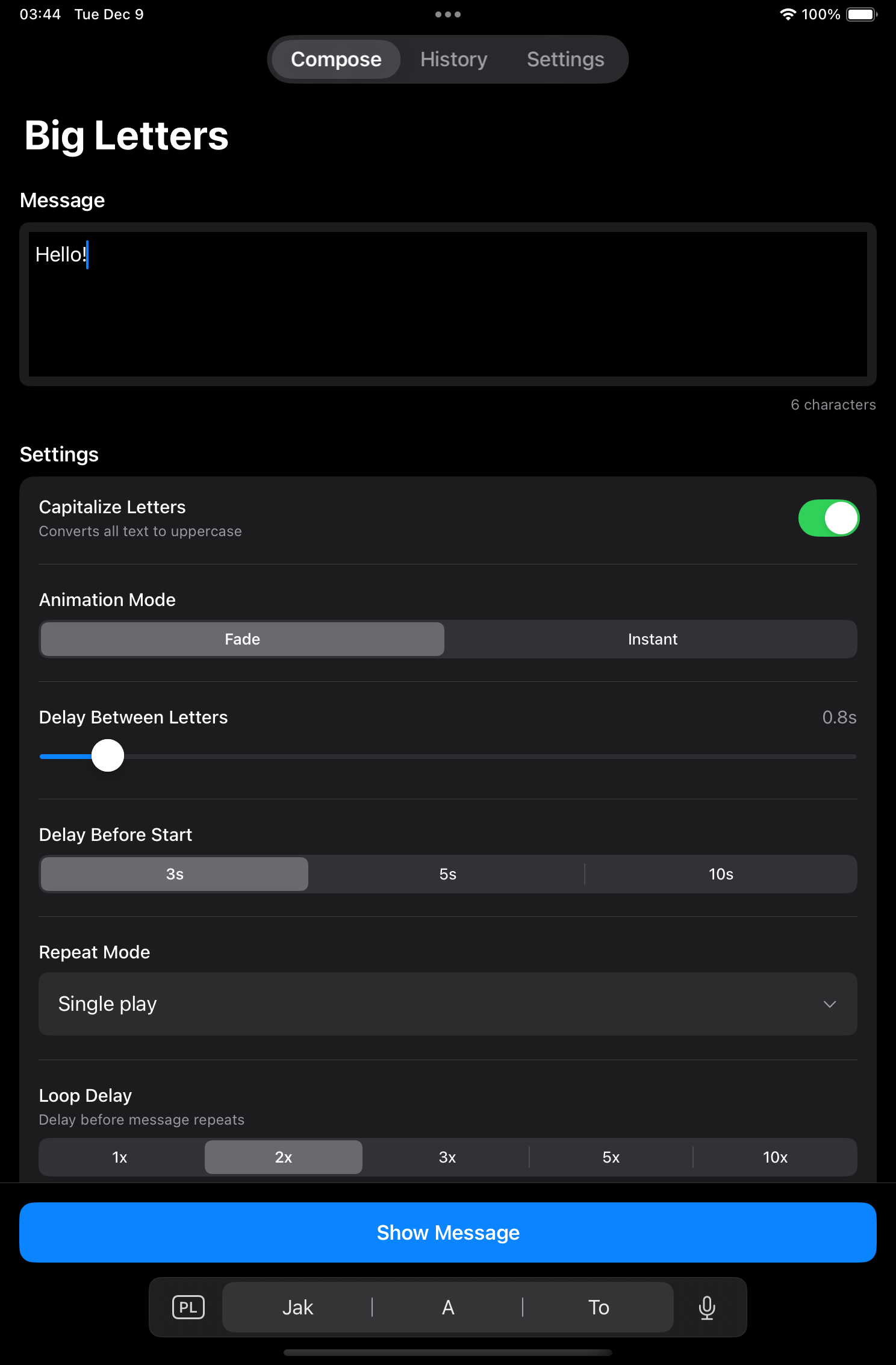
Both work great, but there are trade-offs:
iPhone Advantages
- Always in your pocket—no extra device to carry
- Easier to hold for extended periods
- Quick to pull out when you spot incoming passengers
iPad Advantages
- Much larger screen = visible from greater distances
- Can display longer messages clearly
- More impressive for professional/business pickups
Common Mistakes to Avoid
- Don't use tiny text: If you have to zoom in, the text is too small
- Don't use low-contrast colors: Light gray on white is invisible
- Don't forget to charge: A dead phone is worse than no sign
- Don't stand behind crowds: Position is as important as the sign
- Don't use complicated messages: Simple is always better
Beyond Airports: Other Uses for Large Text Signs
Once you have a good large text display app, you'll find uses everywhere:
- Train stations and bus terminals
- Concert venues and festivals
- Hotel lobbies for guest pickups
- Conference centers for attendee direction
- Any crowded place where you need to find someone
Conclusion
In 2025, your smartphone is the best airport pickup sign you can have. It's always with you, infinitely customizable, and far more visible than any piece of paper.
Big Letters makes airport pickups effortless. Download it before your next pickup—you'll wonder how you ever managed with cardboard signs.