The App Store is flooded with LED banner, scrolling text, and "signboard" apps. With dozens of options promising to turn your iPhone into a digital display, how do you know which one to choose?
After testing numerous text display apps, we've identified the features that actually matter—and the ones that are just marketing fluff. Let's cut through the noise and find out what makes a great text display app.
What Is an LED Banner App?
LED banner apps (also called marquee apps, scrolling text apps, or text display apps) turn your phone or tablet screen into a digital sign. Common uses include:
- Displaying messages at events or concerts
- Airport pickup signs
- Accessibility communication for deaf/hard of hearing
- Store signage and promotions
- Personal expression at sports games or rallies
- Presentations and demonstrations
Features That Actually Matter
When evaluating text display apps, these are the features that make a real difference:
1. Maximum Font Size
Why it matters: The whole point is readability at a distance. If text doesn't fill your screen, you're wasting display space.
What to look for: Apps that automatically calculate the largest possible font for your message. One word should nearly fill the screen.
Red flag: Apps with fixed font sizes or small maximum text.
2. Offline Functionality
Why it matters: You'll often use these apps in places with poor connectivity—crowded venues, airports, outdoor events.
What to look for: Apps that work with zero internet connection.
Red flag: Apps that require login, accounts, or internet to function.
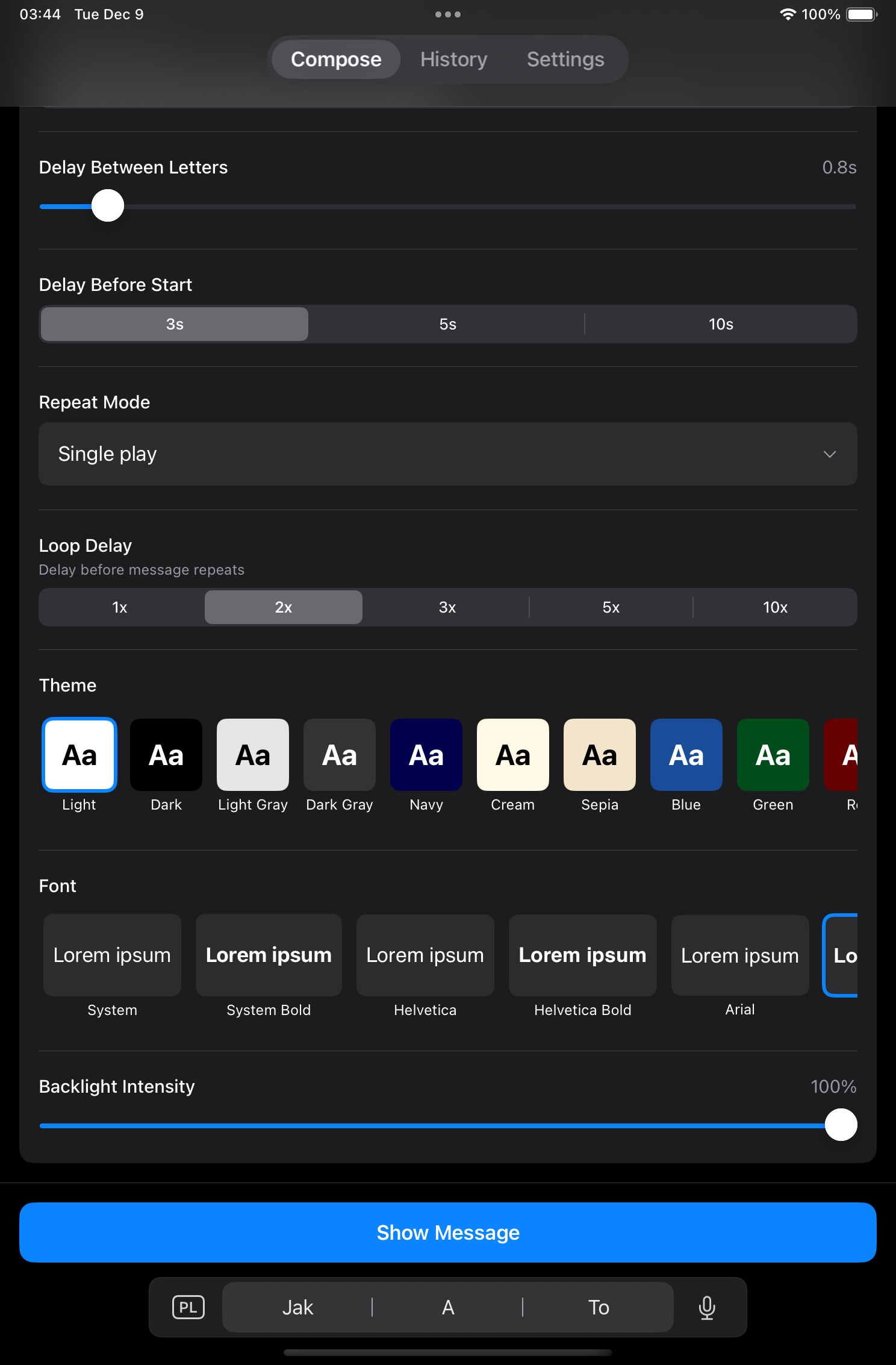
3. High-Contrast Color Options
Why it matters: Visibility depends on contrast, and lighting conditions vary wildly between use cases.
What to look for: Multiple theme options with truly high contrast (not just aesthetic color variations). At minimum: white on black, black on white, and a few bold color options.
Red flag: Only a handful of themes, or themes that prioritize looks over readability.
4. Screen Brightness Control
Why it matters: Maximum brightness is essential for outdoor or bright environments. Returning to normal brightness afterward saves battery.
What to look for: Automatic brightness boost when displaying, with restoration afterward.
5. Screen Wake Lock
Why it matters: Nothing's worse than your sign going dark because your phone auto-locked.
What to look for: Screen stays on while displaying (overrides auto-lock).
6. Message History
Why it matters: If you use the app regularly, retyping common messages is tedious.
What to look for: Saved message history with quick recall. More saved messages = better.
7. Clean, Fast Interface
Why it matters: When you need to display a message quickly, a cluttered interface slows you down.
What to look for: Simple, intuitive UI. Type → Display in seconds.
Red flag: Overwhelming options, upsell pop-ups, or confusing navigation.
Features That Don't Matter (As Much As You'd Think)
Some heavily-marketed features aren't as important as they seem:
Scrolling/Marquee Animation
Classic LED banner apps emphasize scrolling text. But for most use cases, static text is more readable. Scrolling makes sense for very long messages, but short, clear messages work better when displayed all at once.
Dozens of Animation Styles
Many apps advertise 50+ animation effects. In practice, you'll use one or two. Simple fade or instant display usually wins.
Social Sharing
Most people don't need to share their text displays to social media. It's a nice-to-have, not a must-have.
Complex Text Effects
Rainbow gradients, shadows, and 3D effects often reduce readability. High contrast is more important than flashy effects.
Comparing Popular LED Banner Apps
Here's how common text display apps stack up on the features that matter:
Feature Comparison
| Feature | Big Letters | Typical LED App |
|---|---|---|
| Max Font Size | ✅ Auto-calculated | ❌ Fixed sizes |
| Color Themes | 32 themes | 10-15 themes |
| Font Options | 20 fonts | 5-10 fonts |
| Message History | 256 messages | 10-50 messages |
| Works Offline | ✅ Always | ⚠️ Sometimes |
| Ads | ✅ None | ❌ Frequent |
| Privacy | ✅ No tracking | ⚠️ Analytics |
| Brightness Control | ✅ Auto | ⚠️ Manual |
Why Big Letters Stands Out
Big Letters was built specifically around the features that matter most. Here's what sets it apart:
Automatic Maximum Font
Unlike apps with fixed font sizes, Big Letters dynamically calculates the largest possible text for your message and screen. Type "HELLO" and it fills your screen. Type "HELLO WORLD" and it adjusts proportionally.
32 Optimized Themes
Not just pretty colors—each theme is designed for maximum readability in different lighting conditions. From stark white-on-black to vibrant options that pop in any environment.

256 Message History
Most apps save 10-50 messages. Big Letters saves 256, complete with all your settings. Perfect for regular use cases like repeated airport pickups or event messaging.
20 Professional Fonts
Beyond just variety, each font is chosen for readability at large sizes. From bold system fonts to elegant alternatives.
Zero Ads, Zero Tracking
No ads interrupt your display. No analytics track your messages. Your content stays private on your device.
Modern SwiftUI Design
Built with Apple's latest frameworks for smooth performance and a clean, native iOS experience.
Real User Scenarios
The Event Coordinator
"I use Big Letters at our company events to direct attendees. The 256-message history means I have all my standard signs ready to go—'REGISTRATION', 'MAIN HALL', 'DRINKS'. One tap and I'm displaying."
The Frequent Traveler
"I pick up clients at the airport regularly. Big Letters saves each client's name, so when I get a repeat pickup, I just tap the history and their sign is ready."
The Accessibility Advocate
"For communicating with my deaf friends in loud environments, Big Letters is a game-changer. Quick to type, huge text, and no ads interrupting the display."
Conclusion: Choose Based on What Matters
Don't be distracted by flashy features you won't use. When choosing a text display app, focus on:
- Maximum font size (auto-calculated is best)
- High-contrast themes
- Offline functionality
- Message history
- Clean, fast interface
- No intrusive ads
Big Letters delivers on all of these. It's the text display app built around the features that actually matter.